Use compatible full sets
Full sets are built from source-backed outfit relationships, including recognized families such as Ebony Armor and Dawnguard Heavy Armor. Applying a set replaces the current selections.
Build a character look
Assemble source-backed Skyrim armour on a 3D character. Choose a playable race and sex, mix supported gear slots or apply a compatible full set, then share the outfit URL.
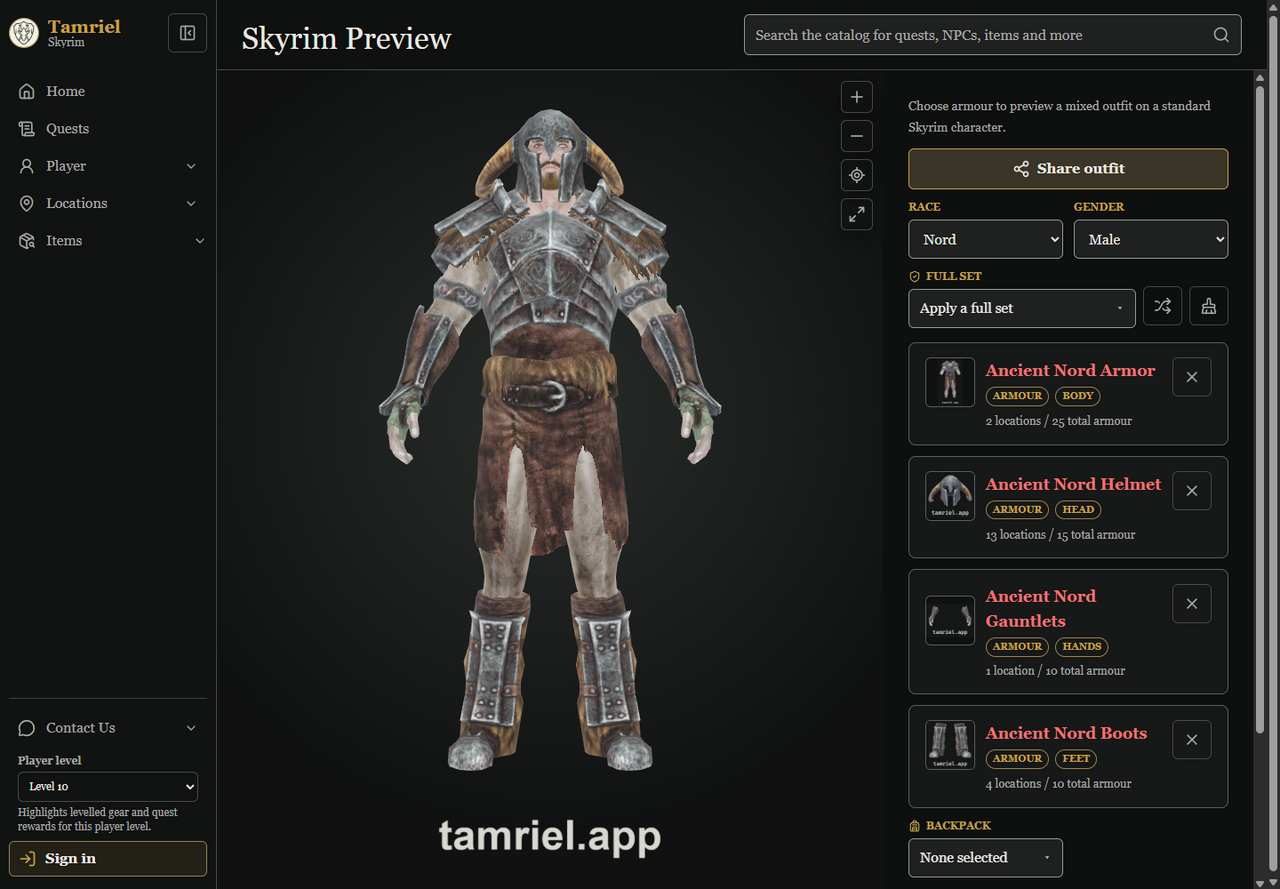
Select Ebony Armor from the compatible Full set list or browse its armour pieces individually. The URL retains the selected character and gear so the same outfit can be reopened or shared.
Open Ebony ArmorSet a playable race and choose male or female source-backed character layers. The current choice is preserved with the outfit in the URL.
Use the searchable Full set selector for compatible source-backed armour families, or choose body, head, hands, feet, and backpack items individually.
Orbit the model, replace a slot, randomise the selected gear, or clear the outfit. Use Share outfit to open the native share sheet when available or copy the current link.
Full sets are built from source-backed outfit relationships, including recognized families such as Ebony Armor and Dawnguard Heavy Armor. Applying a set replaces the current selections.
Search Body, Head, Hands, Feet, and Backpack slots independently. The viewer resolves slot conflicts as items are applied and the selected equipment stays visible beneath the model.
Race, gender, and each selected gear item are represented in the URL, so re-opening a shared link restores the same compatible outfit.
Open a selected item to inspect its armour type, stats, and source-backed relationships. The Preview totals also summarize armour, damage, and effects for the selected items.
Yes. Player Preview offers every playable Skyrim race and either sex, using source-backed base character layers.
No. The Preview equipment selectors cover Body, Head, Hands, Feet, and Backpack. Other equipment can still be browsed in the catalog.
Use Share outfit in Player Preview. The current race, gender, and selected gear are encoded in the URL; Tamriel opens the native share sheet when available and otherwise copies the link.
No. The viewer shows items with compatible source-backed 3D assets. You can still open armour catalog entries to inspect their available item details.